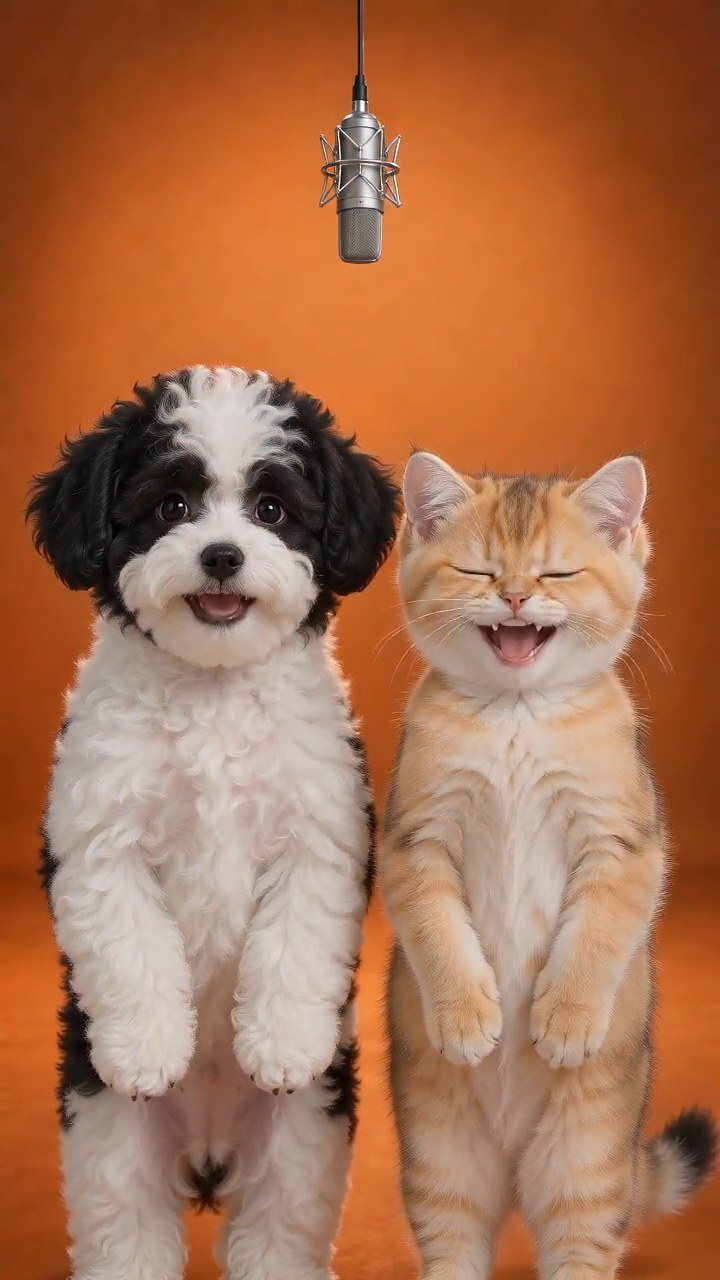
Tiny Desk AI for Dogs & Cats: Pet Concert Video
Tiny Desk AI is the trend where an AI band backs one singer at a tiny desk. This is the pet version for dogs and cats: upload one photo, and your pet takes the microphone for a 10-second vertical concert while a preset animal band plays behind it.
Create your pet video
1Your pet photo
Your pet
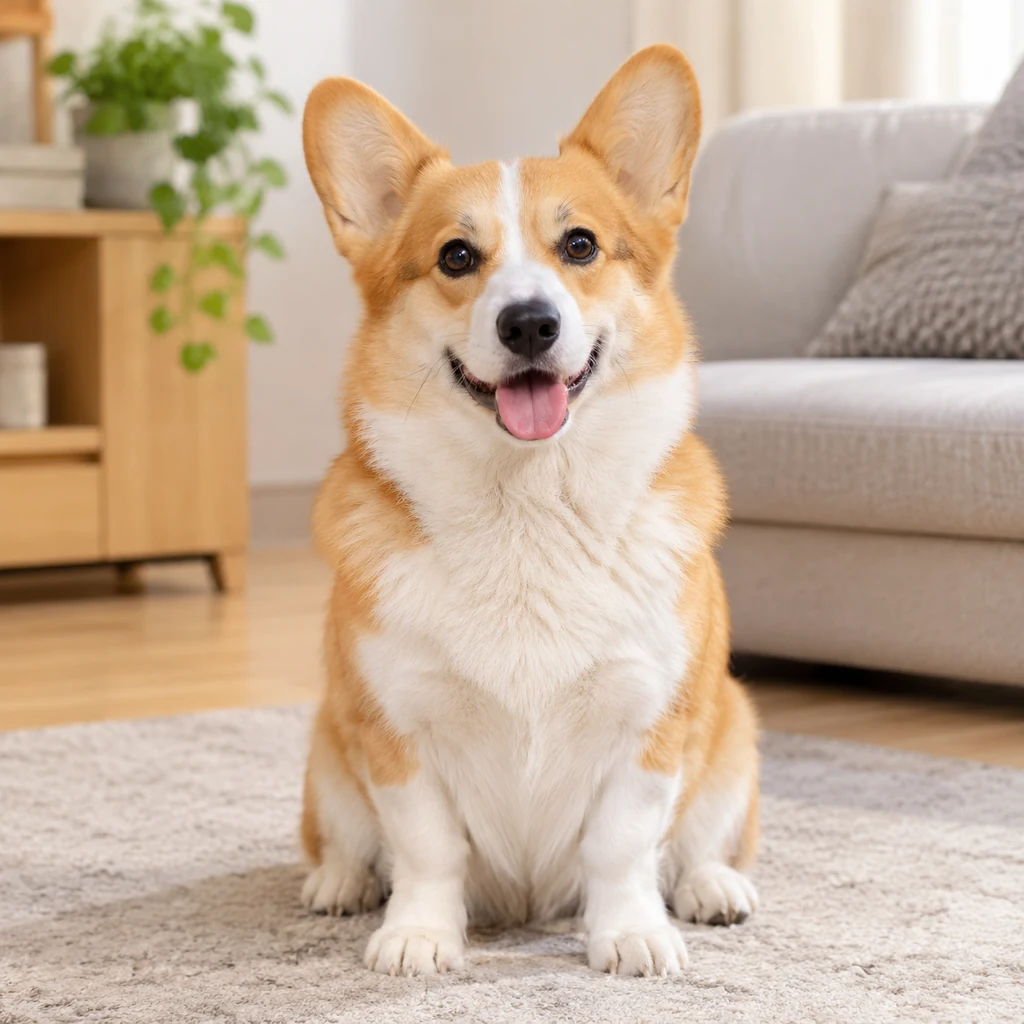
Use one clear, front-facing photo of your pet, with even lighting and the head and chest visible. The photo replaces the pet in the reference clip.
2Lyrics· optional
Leave it blank to follow the play’s own performance. If you add lines, keep them short — they are voiced in the finished clip.
3Length
By clicking Generate you confirm you have the right to use this photo, and that any person visible has agreed to appear. Do not upload photos of minors, celebrities or public figures.
The finished clip
Example
What a pet Tiny Desk AI video looks like
The demo clip shows a finished render: your pet takes the lead at the microphone while the preset animal band stays in the background.
What to look for
- One photo fills the single lead-singer slot at the microphone.
- The pet keeps its own face, markings and fur colour.
- Ten seconds, 9:16 vertical, with original AI music and a fixed camera.
How to make your pet video
- 01
Upload one pet photo
Add one clear photo of your dog or cat. This play is single-pet, so use one animal in the frame: JPG, PNG or WebP, up to 10 MB. A front-facing photo with the head and chest visible works best.
- 02
Generate the 10-second concert
Starting the render confirms you have the rights to the photo. The credit cost is shown before you start, and a render usually takes a few minutes. You can leave the page while it runs.
- 03
Download and post
Open My videos and download the watermark-free MP4: 10 seconds, vertical 9:16, 720p, with original AI music already mixed in. It drops straight into TikTok, Reels and Shorts.
Which photos work best?
What works
- Front-facing, with the head and chest fully in frame
- Even light, with no strong shadow across the face
- Recent, sharp and in focus
- One dog or cat in the photo, on a clean background
- Clear markings — corgis, huskies and tabbies are easy to recognise on stage
What to avoid
- Turned away, or mostly side profile
- Blurry, backlit or heavily filtered
- Face or body hidden by furniture, clothing or a hat
- Two pets or a person in the same photo
The photo supplies the face, fur and markings. The stage, microphone, band and camera come from the preset play, so a clean front-facing photo gives the model the most to work with.
What is the Tiny Desk AI trend?
Tiny Desk AI comes from a real Tiny Desk moment: Charlie Wilson closing a 2023 set with the funk song “Outstanding”, filmed in that familiar office corner between shelves and desk lamps. In October 2026, AI versions started swapping new faces into the performance, first with losing college football coaches, then with friends, coworkers and anyone who had just flopped.
The joke is the contrast: take someone who just lost, put them at that cozy desk, hand them the big note and call it outstanding. Most versions of the trend are built for people. This play is the pet version for dogs and cats, because a pet who lost to the vacuum or missed the counter jump is funnier than any coworker.
A pet is also the easiest singer to cast: one photo gives the model the face, fur and markings, while the stage, microphone and band stay fixed in the preset scene.
What this pet Tiny Desk AI play renders
You upload one photo of your dog or cat. The play places that pet at the microphone in a warm room with soft light and a preset animal band, and follows a fixed reference performance: the same camera, the same framing and the same timing for all 10 seconds.
The result is a short vertical clip that reads like an intimate live session rather than a studio promo. Your pet stays at the microphone, uses its front paws for small gestures and mouths the words in sync with the music.
Tiny Desk AI ideas for your pet
The all-loss concert: your dog lost to the vacuum, the bath or the cat next door, so give it the microphone and caption the set as a deadpan “outstanding”.
The cat comeback: missed the counter jump in front of everyone? One big note turns the fail into a standing ovation. The same setup works for a dog who refused to come inside or a cat who knocked something over on camera.
The celebration: swap the roast for a tribute. A Tiny Desk AI clip makes a funny birthday or gotcha-day post without booking a studio or wrestling your pet into a costume.
Why this format works for pet videos
A microphone and one lead singer give the clip a clear subject and a reason to be close to the camera. The format reads as a real performance, so viewers stay for the pet’s face and the song instead of a busy background.
It also suits vertical feeds: the stage anchors the lower half, your dog or cat fills the centre, and there is room at the top for captions. The MP4 drops into TikTok, Reels and Shorts without cropping.
The format is inspired by the tiny desk concert trend. It is an independent fan-style play: PetVid AI is not affiliated with NPR, and this play does not use NPR footage, logos or music.
What this Tiny Desk AI play does not do
It does not make a long video or an editable project file. Each render is a finished 10-second clip with original AI music and vocals mixed in, so the words are locked once the video is done. Add any lines you want before you generate.
It does not put people in the clip, and it does not support two pets in this play: one photo of one dog or cat fills the single lead-singer slot. It also does not reproduce a real NPR session or copy a specific artist’s performance.
If the video doesn’t look right
AI renders can miss. Work through these fixes before spending more credits.
The pet doesn’t look like mine
Use a recent, front-facing photo with even light, the head and chest in frame and no heavy filter. Re-upload and generate again.
The pet is blurry or cropped
Use a sharp photo with the whole head inside the frame, and avoid cropping the ears or the top of the head.
Markings or fur colour changed
Avoid overexposed, strongly filtered or shadowed photos. A natural-light photo with no filter gives the model cleaner colour to work from.
The stage, microphone or band moved
Retry once. The play keeps the stage and camera fixed, but AI renders can still drift. A failed render refunds its credits automatically.
Limbs look distorted or extra limbs appear
Use a simple front-facing pose without clothing, hats or furniture covering the body. If it persists, try a different photo.
The lines I typed are missing
Keep each line short, check the character counter, and make sure the text is still in the box before you start the render.
AI generation is not fully predictable, and some artifacts cannot be removed. A clearer photo usually helps more than repeated retries.
Posting your pet video
The clip is a short vertical MP4, so it drops straight into TikTok, Instagram Reels and YouTube Shorts. Treat the captions below as a starting point and adjust them to your account.
Caption ideas
- “Week 8 all-loss concert: my dog vs the vacuum”
- “She missed the counter jump, but the vocals were outstanding”
- “POV: your cat finally got the Tiny Desk gig”
- “One photo, one tiny desk, one very dramatic high note”
TikTok
Open with the hook, keep 3–5 tags and switch on the AI-generated label.
Hashtags: #petsoftiktok #dogsoftiktok #catsoftiktok #AIpetvideo #petvideo
Instagram Reels
Share to feed, keep the caption short and use 3–5 tags.
Hashtags: #petstagram #dogsofinstagram #catsofinstagram #reels #AIpetvideo
YouTube Shorts
Put the keyword in the title, add #Shorts and mention AI in the description.
Hashtags: #petvideos #dogshorts #catsshorts #AIvideo #shorts
Turn on the platform’s AI-generated label, do not claim the clip is real footage, and only use someone else’s pet photo with permission.
Questions about this play
What is the Tiny Desk AI trend?
It is a TikTok meme where AI swaps a new singer into a famous Tiny Desk performance of the song “Outstanding”, usually to roast someone who just lost. This play is the pet version: your dog or cat sings lead while a preset animal band plays behind it.
Can I make a Tiny Desk AI video with my dog or cat?
Yes — that is exactly what this play is for. Any breed works, and the pet keeps its own face, fur colour and markings. Clear markings such as a corgi’s coat, a husky’s mask or a tabby’s stripes are especially easy to recognise on stage.
How many photos do I need? Can I use two pets?
One photo of one pet. This Tiny Desk AI play is single-pet only, so two dogs or cats are not supported here, and photos of people are not supported either. Generating with no photo is rejected before any credits are spent.
How long is the clip?
Ten seconds, vertical 9:16 at 720p. That is the length of the preset performance, so the stage, camera and timing hold together without cuts.
Will it actually look like my pet?
Usually yes, if the photo is clear. Front-facing, evenly lit photos with the head and chest visible keep the likeness best. Blurry, dim, side-angle or heavily filtered photos make the face and markings harder to preserve.
Can I add my own lyrics?
Yes. Type short lines before you generate and the clip voices them in the language you wrote. Leave the box empty and the model writes the lyrics for you.
Does the video use the original “Outstanding” song?
No. The audio is original music generated by AI to match the scene, not the NPR recording or any copyrighted track, so nothing is lifted from the original performance.
Will TikTok mute the clip?
No. The soundtrack is original, so there is no copyright claim to mute. If you want the trend’s sound, you can still add a sound from TikTok’s own library when you post.
How much does a pet Tiny Desk AI video cost?
Credit cost is shown in the generator before you start. Failed renders return those credits to your balance automatically.
Is this connected to NPR’s Tiny Desk?
No. This is an independent, fan-style pet video play inspired by the tiny desk concert format. It is not affiliated with NPR, and it does not use NPR footage, logos or music.